


NBC 5 Chicago: News & Weather
3.9994.00 Reviews
App Specs
- Version
- 8.9
- Updated On
- License
- Free
- Downloads
- 100,000+
- Developer
- NBCUniversal Media, LLC
- Categories
- News & Magazines
- Platform
- Android
Screenshots
 Analysis by AppCompare
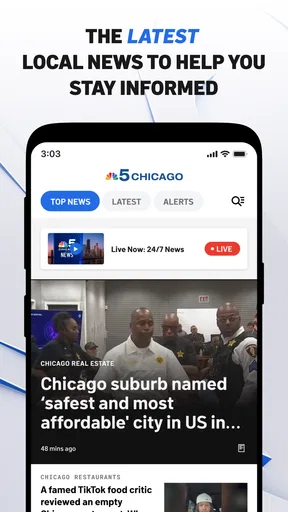
Chicago news is most useful when it arrives at the moment I need it: before leaving for work, while watching the sky change, or when something major is unfolding across the city. NBC 5 Chicago: News & Weather is built around that practical idea. It combines local reporting, weather alerts, and access to NBC 5 Chicago live throughout the day, making it a focused companion for people who want Chicago information rather than a broad national news feed.
I reviewed it as a free News & Magazines app from NBCUniversal Media, LLC, and its strongest quality is its local focus. The experience is not trying to replace every news source on a phone. Instead, it aims to put Chicago headlines and weather information in one place. That narrow purpose is also the key to deciding whether it belongs on your device: if local conditions and regional coverage matter to your daily routine, it makes sense; if you mainly want international news, deep analysis, or entertainment, another app will probably serve you better.
How the app feels when the network is doing the work
The app depends heavily on connectivity because its most valuable material is changing all the time. News pages need to refresh, weather information needs to stay current, alerts need a route to your phone, and live television obviously requires a steady connection. I found that this makes the quality of the experience closely tied to where I was using it. On a reliable home or office connection, moving between local stories, weather information, and the live stream felt natural. In a weak-signal area, the same actions became less predictable.
That network dependence is not a flaw unique to this app; it is part of what live local news means. A printed newspaper can be read without a signal, but it cannot tell me about a developing storm or a breaking event as it happens. The trade-off here is clear: I get timely information when the connection is available, but I should not treat the app as my only source of information during a serious outage or emergency.
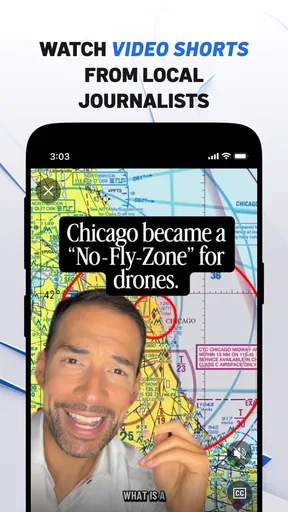
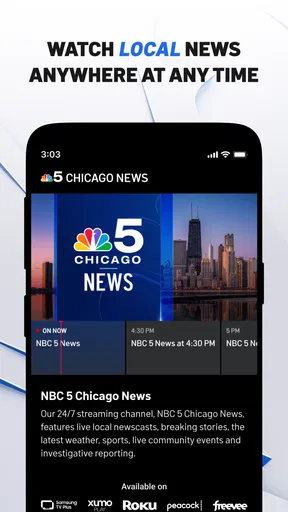
The live NBC 5 Chicago option is the feature that makes the app more than a standard local-news reader. When I want the rhythm of a television newscast rather than a list of headlines, watching live can be more useful than opening several individual articles. It also helps when the story is visual, such as a major weather system, traffic situation, or public event. The limitation is equally obvious: video is more demanding than text, so interruptions are more noticeable when the signal changes.
I would use the written coverage first when I am trying to understand something quickly on a mobile connection. Text is easier to scan between tasks and less frustrating if the network briefly slows down. I would switch to live viewing when I have enough time and a stable connection. That simple choice prevents the app from feeling unnecessarily heavy during a rushed morning.
Why local weather changes the value of the app
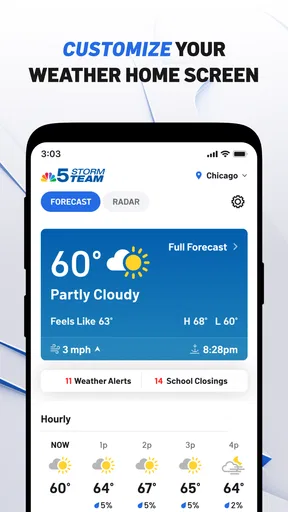
Weather is not just an extra tab in a Chicago news application. It affects commuting, school runs, outdoor plans, and the decision to carry a coat or umbrella. The app’s weather alerts give it a more immediate role than a general news reader. I found the combination useful because I could check what was happening locally and then look at weather information without changing to a separate service.
Worth Reading Before You Choose

EA SPORTS FC Mobile 26 Is a Bigger Football Game, but It Takes Time

Flipboard Shows What News Apps Must Do Beyond the Feed

Switching to Android Auto Means Rethinking Your Driving Routine

Google Calendar Makes a Crowded Week Easier to Manage

Ludo King Makes the Most of the Minutes Between Plans

Baby Panda World Brings Quick Play to Modern Phones, but Its Game Library Feels Busy
Still, I would not rely on an alert alone to plan an entire day. An alert tells me that something deserves attention, but I still want to open the weather section and consider timing, location, and how conditions might change. This is an important habit for anyone using the app during severe weather: treat the notification as a prompt to check, not as a complete forecast in itself.
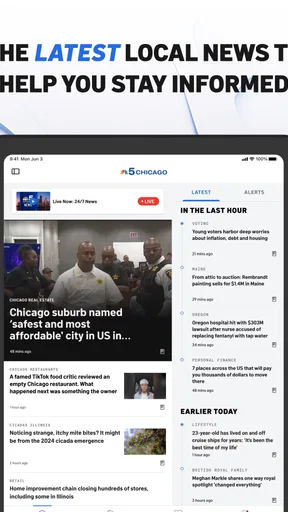
A realistic example is a weekday morning when I am deciding whether to take public transport, drive, or delay an errand. I can glance at the latest local headlines, check for weather alerts, and then watch the live channel if the situation appears significant. That workflow is more efficient than opening a national news app, a separate weather app, and a television stream one after another. The benefit comes from the local combination, not from having the largest amount of content.
Using it in real mobile situations
The app fits best into short, repeated visits. I would open it before leaving home, during a break, and again when an alert appears. Its purpose is not necessarily to keep me reading for an hour. It works better as a quick check-in tool that can become a longer viewing session when a local story deserves attention.
On a phone, the difference between reading and watching matters. Reading is practical while standing on a platform or sitting in a waiting room. Live video is better when I can keep the phone still and give it attention. I also prefer not to begin a live stream while walking or driving; the information may be useful, but the situation is not safe for distracted viewing. The app is most helpful when I match the format to the context instead of treating every update as a reason to watch video.
For someone who lives in the Chicago area, the local emphasis can reduce the noise found in larger news applications. National services often mix local stories with a broad stream of politics, business, entertainment, and international coverage. That breadth is valuable when I want a complete picture of the world, but it can bury a neighborhood-level concern. This app gives Chicago information a more prominent place, which is its main practical advantage.
For someone who has moved away from Chicago but still follows the area, the app can also be useful as a regional window. I would use it to keep up with major developments, weather patterns, and local broadcasts. However, I would not expect it to replace a community publication or specialist source for very specific neighborhood coverage. A television news app has a broad local scope, while a neighborhood outlet may go deeper into one area or issue.
The minimum operating-system requirement is Android or iOS version 9, which makes the app accessible to people using older compatible devices. Its current version is 8.9. I would still keep the operating system and the app updated when possible, especially for a service that depends on live content. Updates are often important for stability, video playback, and notification behavior, even though the basic appeal of the application remains the same.
The app is free, and that makes it easy to try without committing to a subscription. The trade-off is that free news applications can feel less controlled than paid, ad-free products, depending on how content is presented. I would judge it by whether the local reporting and alerts save me time. If I only open it occasionally for one headline, a browser may be enough; if I use it as a daily Chicago check-in, the dedicated app is more convenient.
When a connection breaks at the wrong moment
The most frustrating situation is opening the app because something important may be happening and finding that the content has not loaded properly. A weak mobile signal can affect article loading, weather updates, and live video differently. Text may eventually appear while video remains difficult to start, or an alert may arrive before the related coverage is ready to view. I see this as a reason to use more than one way of staying informed during serious conditions, not as a reason to dismiss the app.
My recovery routine is simple. I first give the page a moment rather than repeatedly tapping the same control. If I am on mobile data, I try again after moving to a stronger-signal location. For urgent information, I switch from live video to written coverage because it usually demands less from the connection. If the app still does not provide what I need, I use another trusted source until the network or service recovers.
This is also where expectations matter. A live local broadcast cannot be judged like a static notes app. It needs current information from a server and a path to the device. The app’s value is therefore highest when the network is available, but its role should be part of a broader emergency-information plan. I would keep other essential channels available rather than assuming one app can carry every update during a major disruption.
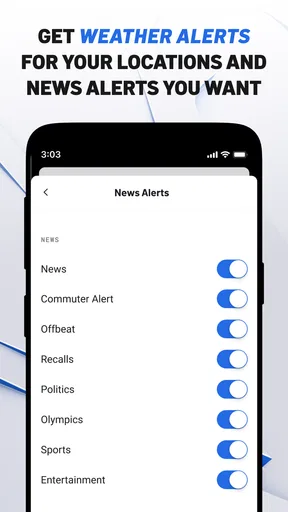
Notifications deserve the same practical caution. An alert is helpful because it can bring attention to changing conditions without requiring constant checking. At the same time, frequent alerts can become distracting if I allow every category to interrupt my day. I would review the notification choices on my device and keep only the alerts that genuinely affect my decisions. That is a small adjustment, but it makes the app feel more useful and less noisy.
Using less data without losing the local benefit
Anyone with a limited mobile-data plan should think carefully about how they use the app. Reading local stories and checking weather information is a different activity from watching a continuous live broadcast. I would reserve live viewing for Wi-Fi or for moments when the broadcast is genuinely more useful than text. This approach preserves the app’s main benefits while avoiding unnecessary video consumption.
There is also a battery trade-off. A long video session, screen brightness, and an active mobile connection can all make a phone work harder than a quick article check. I would use the live feature intentionally rather than leaving it running in the background. For a commute, I might read the most relevant local coverage first and save the broadcast for when I have a charger or a stable connection.
The app is not the best choice for someone who wants to download a large reading queue before entering an area with no service. Its appeal is current local information, so I would plan around connectivity instead of assuming that every part of the experience will be available in a disconnected setting. Before traveling, I would check important information while connected and avoid making the app my sole preparation for a route or emergency.
Another useful habit is to separate information gathering from background viewing. If I only need to know whether weather or traffic conditions have changed, a short check is enough. If I want context and a fuller explanation, then an article or live segment may justify the extra connection use. This makes the app more efficient and helps me avoid consuming video simply because it is available.
Who should install it, and who should look elsewhere?
I would recommend it to Chicago residents who want local headlines and weather alerts in one focused place. It is also a good fit for people who like the familiarity of a local television newsroom but want access through a phone. The live channel adds value for viewers who prefer watching coverage, while the written material makes quick checks possible when watching is inconvenient.
I would be more cautious about recommending it to readers seeking investigative depth, specialist reporting, or a broad international briefing. A dedicated national news service will usually be better for world events, while a specialist weather service may offer more detailed tools for people who plan outdoor work around precise conditions. The choice depends on whether the priority is Chicago awareness or comprehensive coverage across many subjects.
The app’s audience is also shaped by its age rating of Everyone. That makes it suitable for a broad household audience, although adults should still guide younger users through breaking-news coverage when stories are upsetting. The content may be accessible to everyone without being emotionally appropriate for every moment, especially during severe incidents.
Its store presence shows an average rating of 3.9 from around three thousand ratings, with close to one thousand written reviews. I read that as a sign of a useful but not universally smooth experience: enough people find value in the local focus, while others may be reacting to connectivity, notification, or playback friction. With over one hundred thousand installs, it has a meaningful audience, but popularity alone should not decide whether it fits your routine.
What I like most is the clear relationship between the app and its location. It does not ask me to sort through an enormous national feed before finding something relevant to Chicago. What I like least is that this usefulness can weaken at exactly the moment a network becomes unreliable. The app is strongest as a connected daily source, not as a standalone emergency device or an offline newspaper substitute.
My connectivity verdict
After using it as a local news and weather companion, I see NBC 5 Chicago: News & Weather as a practical free choice for Chicago-focused users who have dependable connectivity and want both quick updates and live coverage. The best workflow is to read when I need speed, watch when I have a stable connection, and treat alerts as prompts for a fuller check rather than complete answers.
The app earns its place through concentration: local reporting, Chicago weather awareness, and a live NBC 5 Chicago stream are more convenient together than scattered across unrelated services. Its limitations are equally clear. Video and current updates are network-dependent, mobile data can make extended viewing expensive, and people who want broad or highly specialized coverage may prefer other tools.
My recommendation is straightforward. Install it if Chicago is central to your day and you want a familiar local source that works across short checks and live viewing. Keep another trusted information route available for outages or major emergencies, and use Wi-Fi for longer broadcasts when possible. With those expectations, this is a focused local-news app rather than an all-purpose news replacement—and that focus is exactly what makes it worthwhile.
Pros
- Live local coverage for Chicago and nearby communities
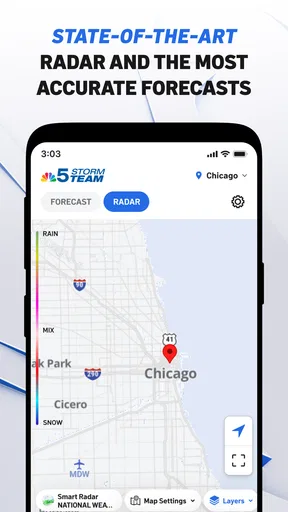
- Reliable weather forecasts with radar and severe alerts
- Breaking news notifications keep you informed quickly
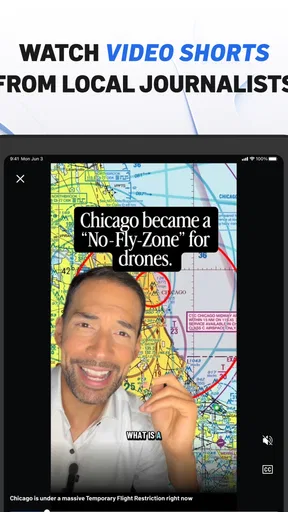
- Video reports make major stories easy to follow
- Covers traffic
- sports
- politics
- and community updates
Cons
- Some stories may require several taps to read fully
- Frequent alerts can feel excessive without notification controls
- Advertising may interrupt browsing and video viewing
- Weather features depend on location permissions and connectivity
- Coverage is mainly useful for the Chicago metropolitan area
FAQs for NBC 5 Chicago: News & Weather
What is NBC 5 Chicago: News & Weather?
NBC 5 Chicago: News & Weather is the official mobile app for NBC 5 Chicago, providing local news, breaking stories, weather forecasts, live updates, traffic information, and video coverage. It is designed for users who want quick access to Chicago-area reporting, neighborhood developments, severe weather alerts, and important regional headlines from their Android or iOS device.
Does the NBC 5 Chicago app provide accurate local weather forecasts and alerts?
The app offers current conditions, hourly and extended forecasts, radar imagery, and weather video from the NBC 5 Chicago meteorology team. Users can typically enable location-based forecasts and receive notifications for severe weather affecting their selected areas. Forecast accuracy can naturally vary as conditions change, but the app is useful for monitoring storms, temperature changes, watches, warnings, and other weather developments.
Can I watch live news or NBC 5 Chicago video in the app?
The application includes news clips, live coverage when available, and on-demand video reports covering local events, politics, crime, community stories, sports, and weather. Live streaming availability may depend on the type of event, your location, and current broadcast rights. Some content may also require a participating television provider or may be limited outside the Chicago viewing area.
Is NBC 5 Chicago: News & Weather free to download and use?
The app is generally free to download and provides access to many news stories, weather tools, alerts, and video reports without a subscription. However, users should expect advertising and should review the current listing in the Google Play Store or Apple App Store for the latest conditions. Certain live streams, premium features, or provider-authenticated content may have additional access requirements.
What permissions and personal information does the app require?
To provide its main features, NBC 5 Chicago: News & Weather may request permission to send notifications, use your approximate or precise location for local forecasts, and access network connectivity for articles, videos, maps, and live updates. You can usually manage these permissions in your device settings. Before installing, review the app-store privacy details because data collection and sharing practices may change with future updates.


